How to Renew a Free Hosting Account
Free hosting is renewed once a year, together with your membership. It takes one click and costs nothing. About 30 days before your renewal date we send you an email; you can also renew from your account at any time in those 30 days.
Renew from our email
- In our email "Please confirm you still use your free hosting", click Confirm my hosting.
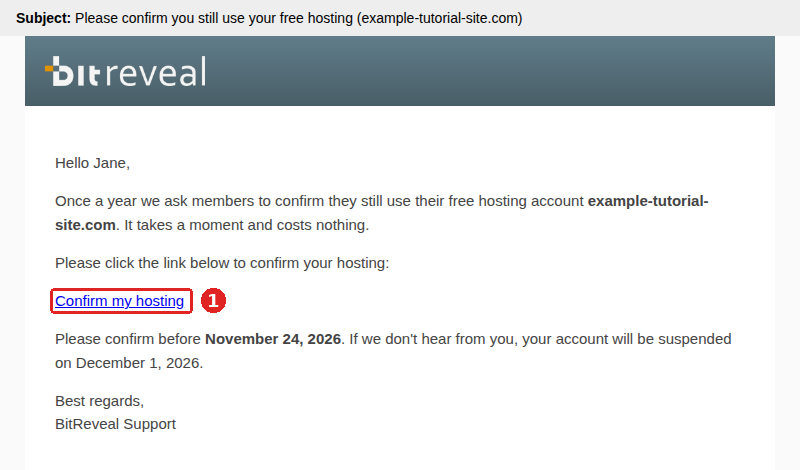
- The page shows your new renewal date. That is all.
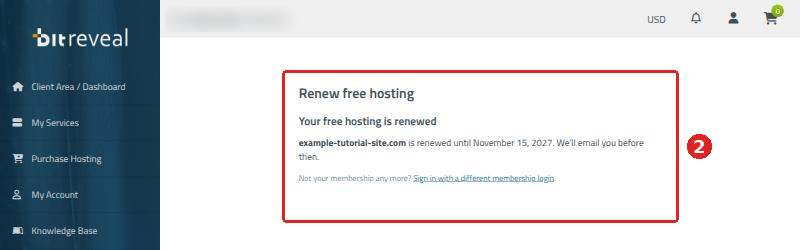
If we ask you to sign in, enter your membership login as shown in Reactivate a suspended account below.
Renew from your account
Log in to your BitReveal account, open My Services and click Manage next to your free hosting.
- Click Renew Free Hosting.
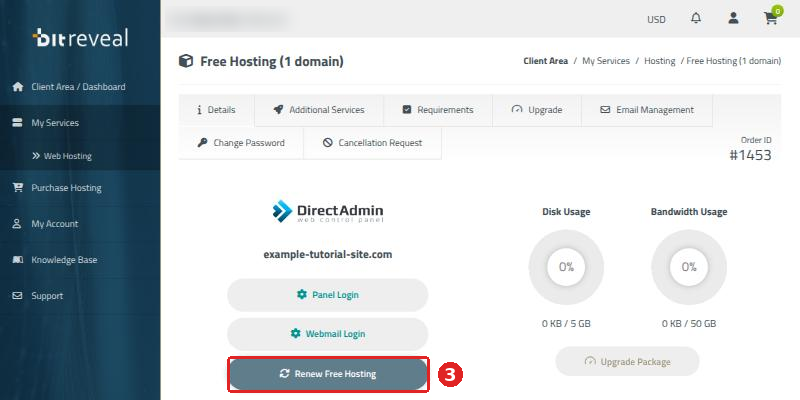
- Your hosting is renewed for another year. Click Close.
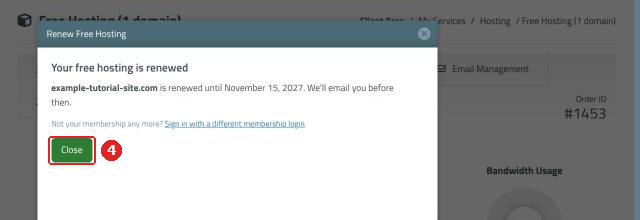
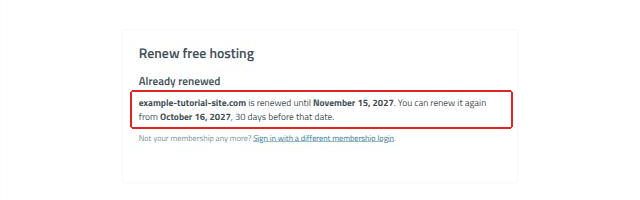
Too early? Renewal opens 30 days before your renewal date. Before that, the page tells you until when your hosting is renewed and from which date you can renew again.
Reactivate a suspended account
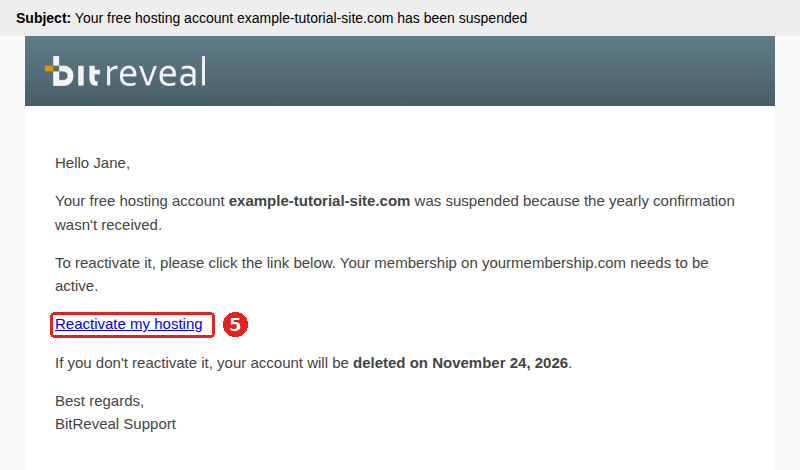
If the yearly confirmation was missed, or your membership was not active for a while, your hosting is suspended: your websites are offline, but nothing is deleted yet. Our email tells you the date until which you can bring it back.
- In our email, click Reactivate my hosting. You can also log in and click Renew Free Hosting on your hosting page.
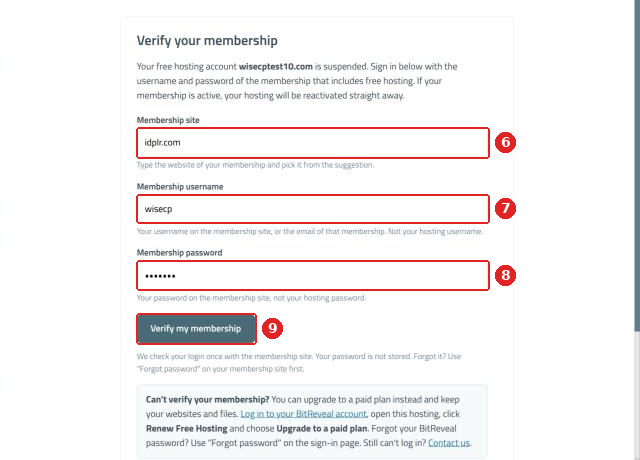
- Type your membership site and pick it from the list.
- Enter your membership username, or the email of that membership.
- Enter your membership password, not your hosting password. We check it once and never store it.
- Click Verify my membership.
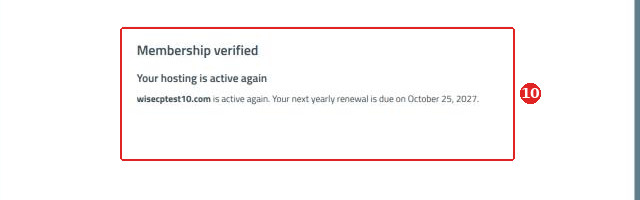
- If your membership is active, your hosting is active again straight away, with its websites and emails.
No membership any more? You can keep your websites by moving to a paid plan: log in, open your hosting, click Renew Free Hosting and choose Upgrade to a paid plan.
Questions? Open a support ticket in your account. Can't log in? Contact us.
